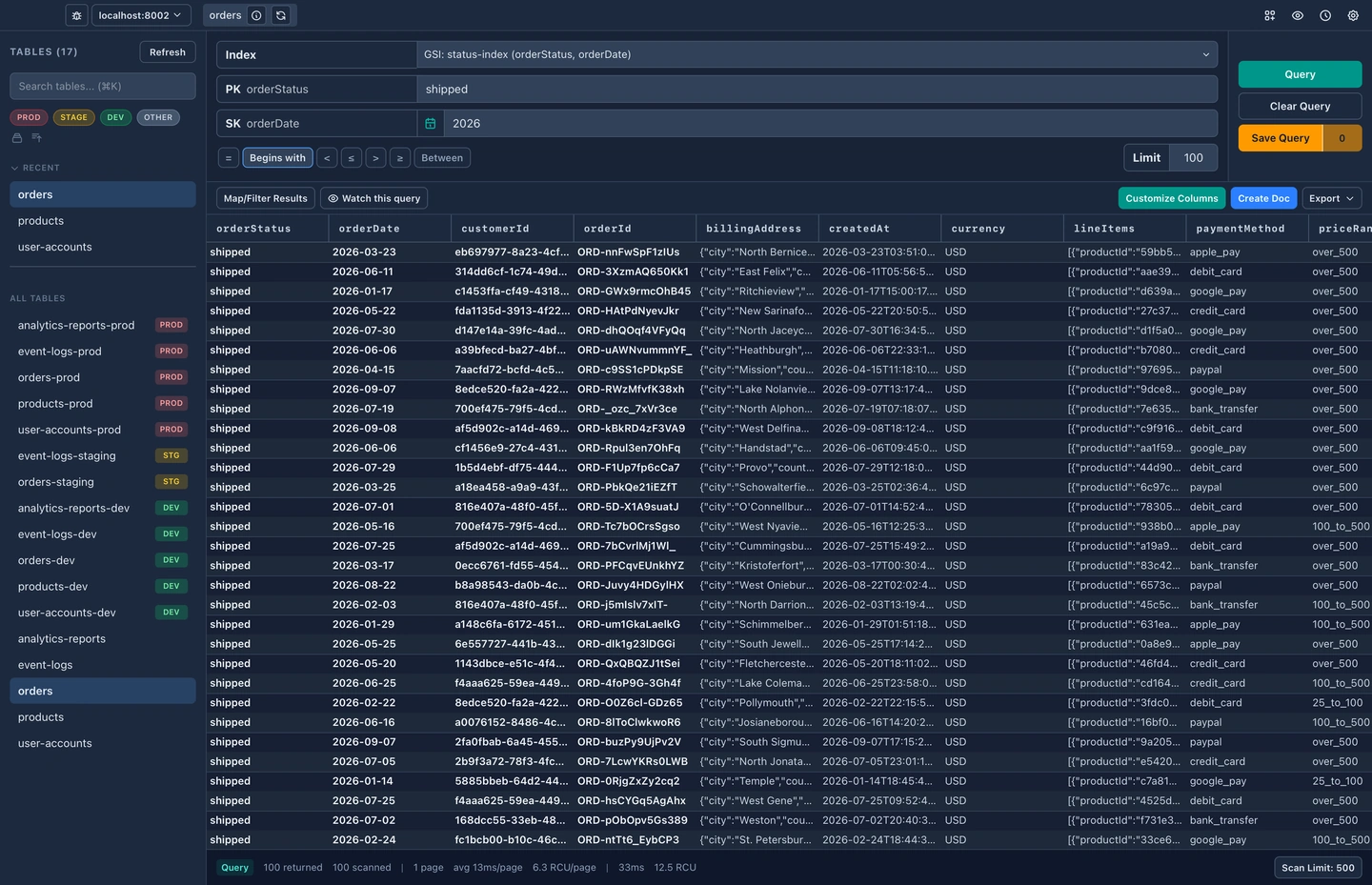
Query Builder
Pick a table or any of its indexes from a dropdown, then set the sort key operator, dates and a limit. DynaFlow shows you how the query will run before you fire it, and what it cost afterwards.
Browse tables, edit documents, build queries, and watch data change in real time, all from a fast, native desktop app.
Available formacOS (Apple Silicon & Intel)
Features
Built by a developer, for developers. Lightweight, fast, and designed to stay out of your way.
Core, free forever
Pick a table or any of its indexes from a dropdown, then set the sort key operator, dates and a limit. DynaFlow shows you how the query will run before you fire it, and what it cost afterwards.
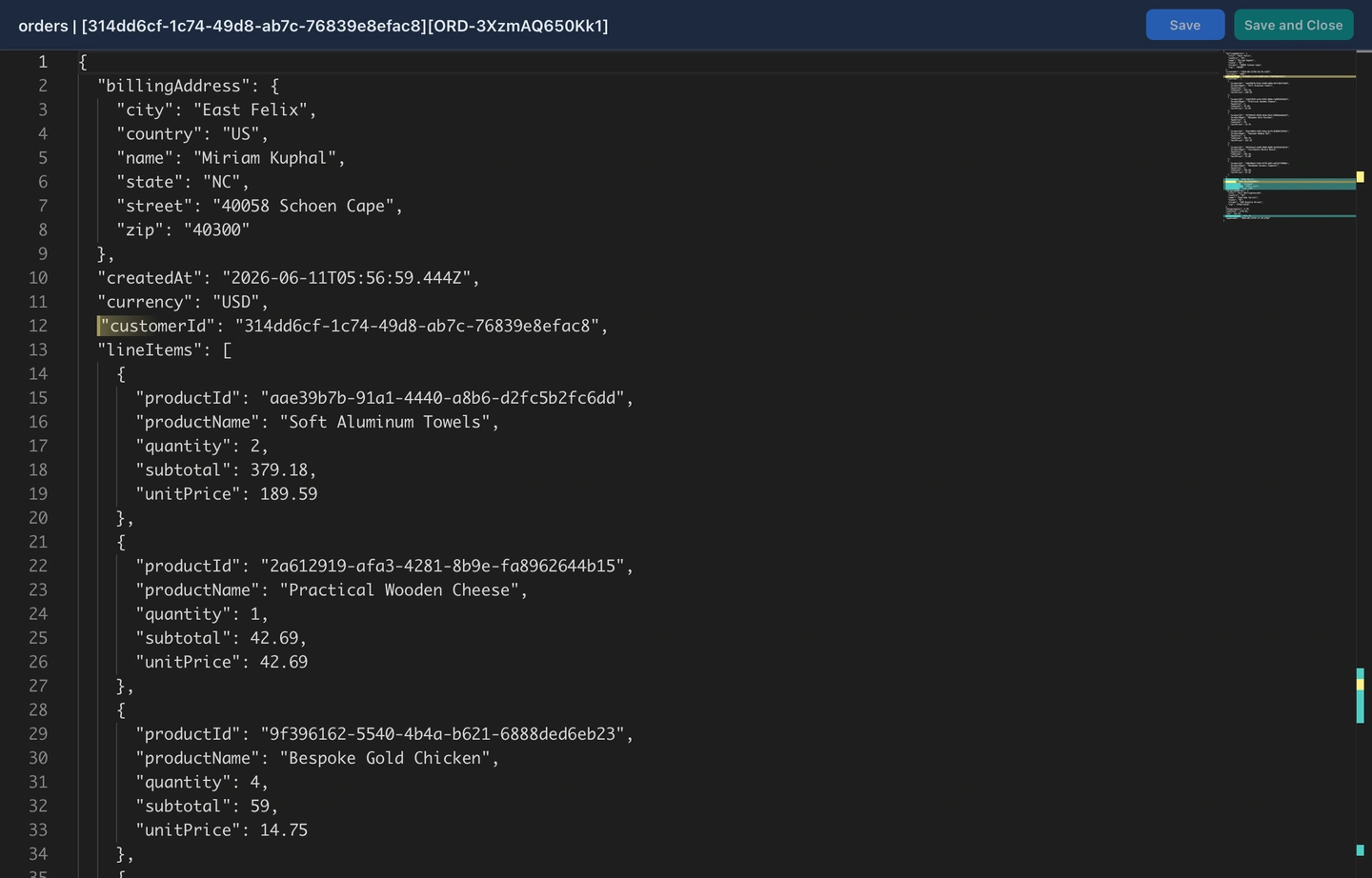
The same editor that powers VS Code, with JSON highlighting, folding, find and replace, and formatting. You can pop a document out into its own window and work on it next to your results.
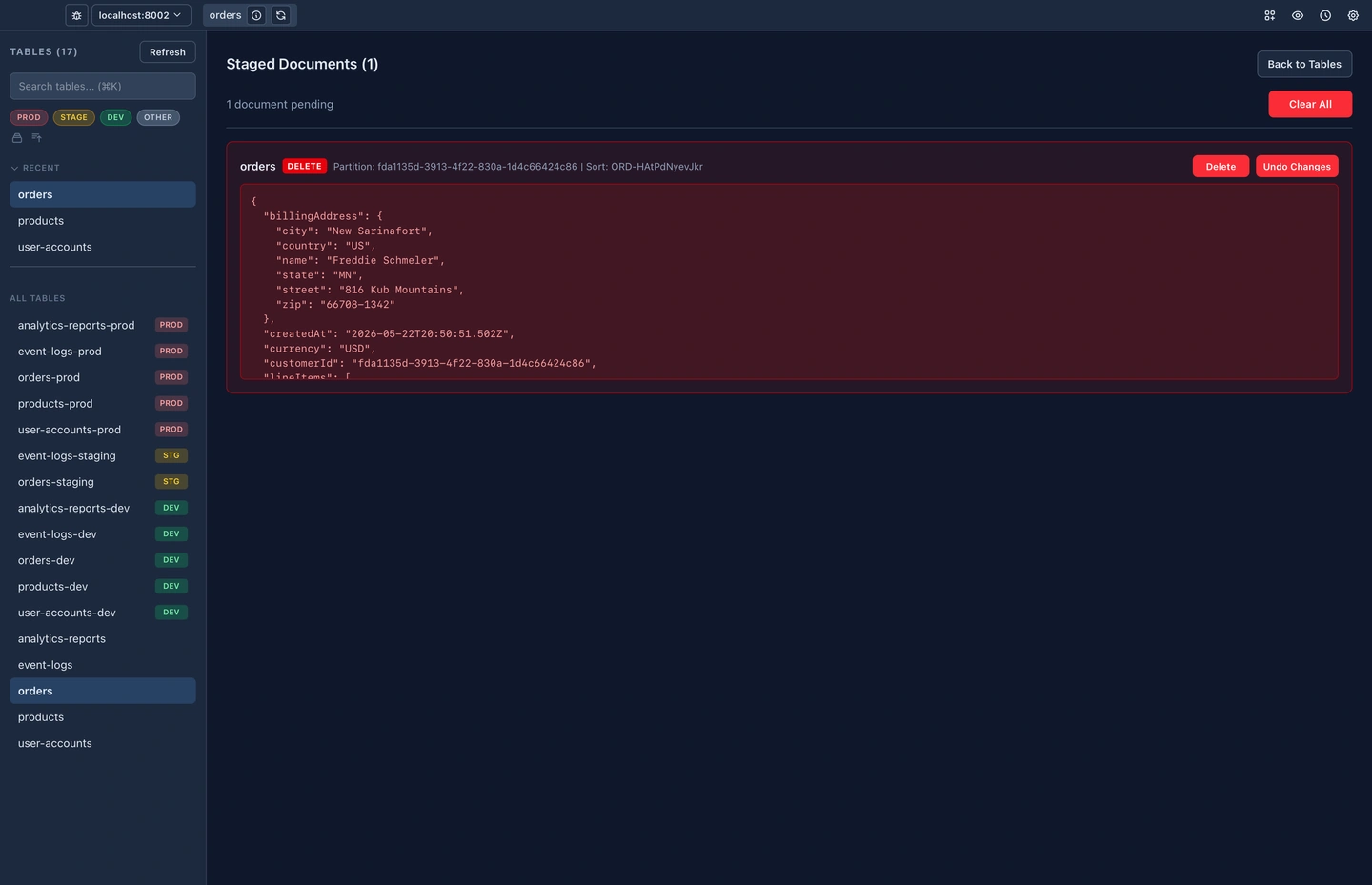
Your edits are staged locally instead of going straight to DynamoDB. Review the diff, undo anything you didn't mean, and commit the whole batch once it looks right.
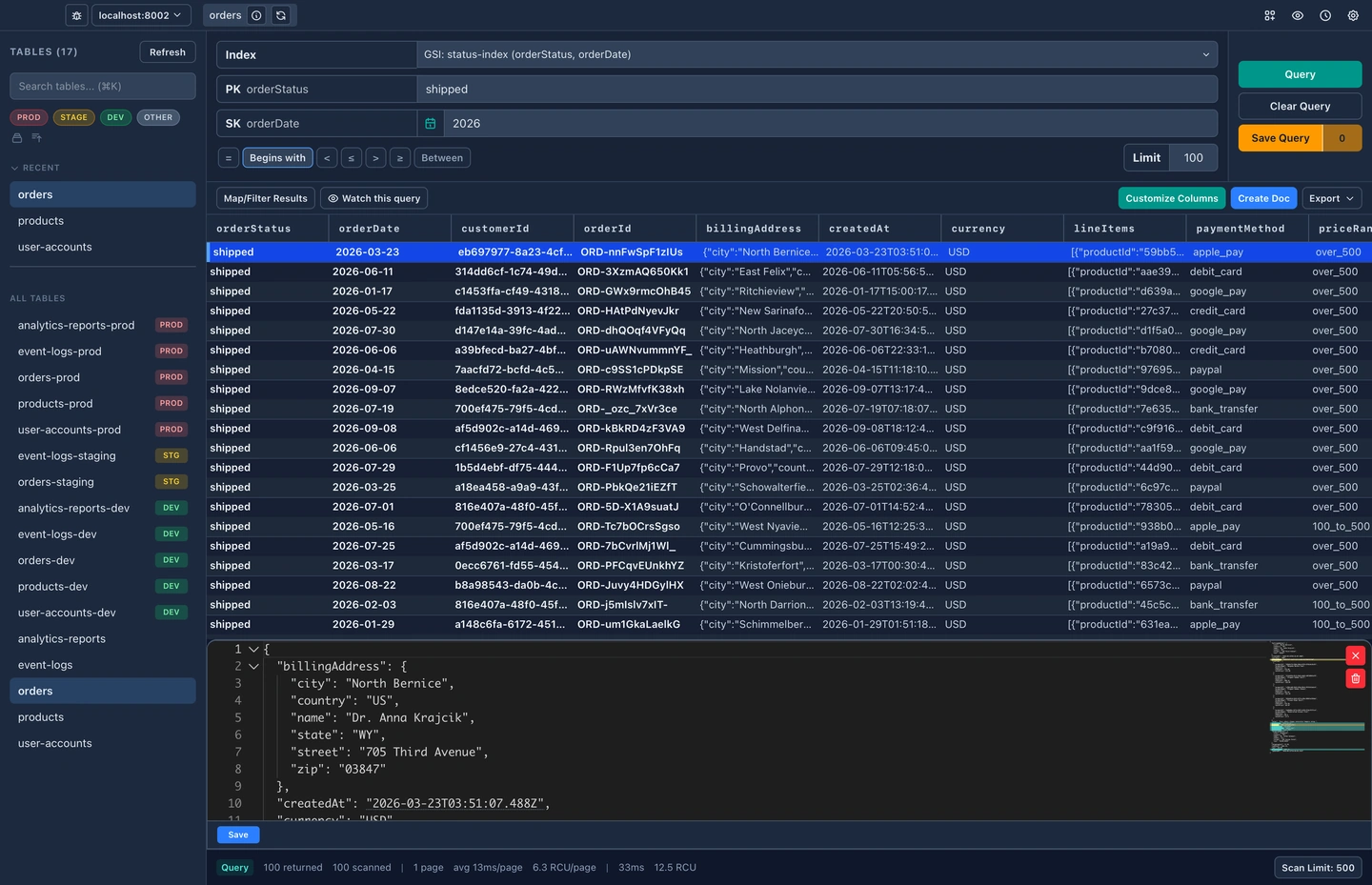
Select a row and edit its JSON right under the grid, with validation as you type and DynamoDB types left intact. There's no modal to open and no separate editor to go find.
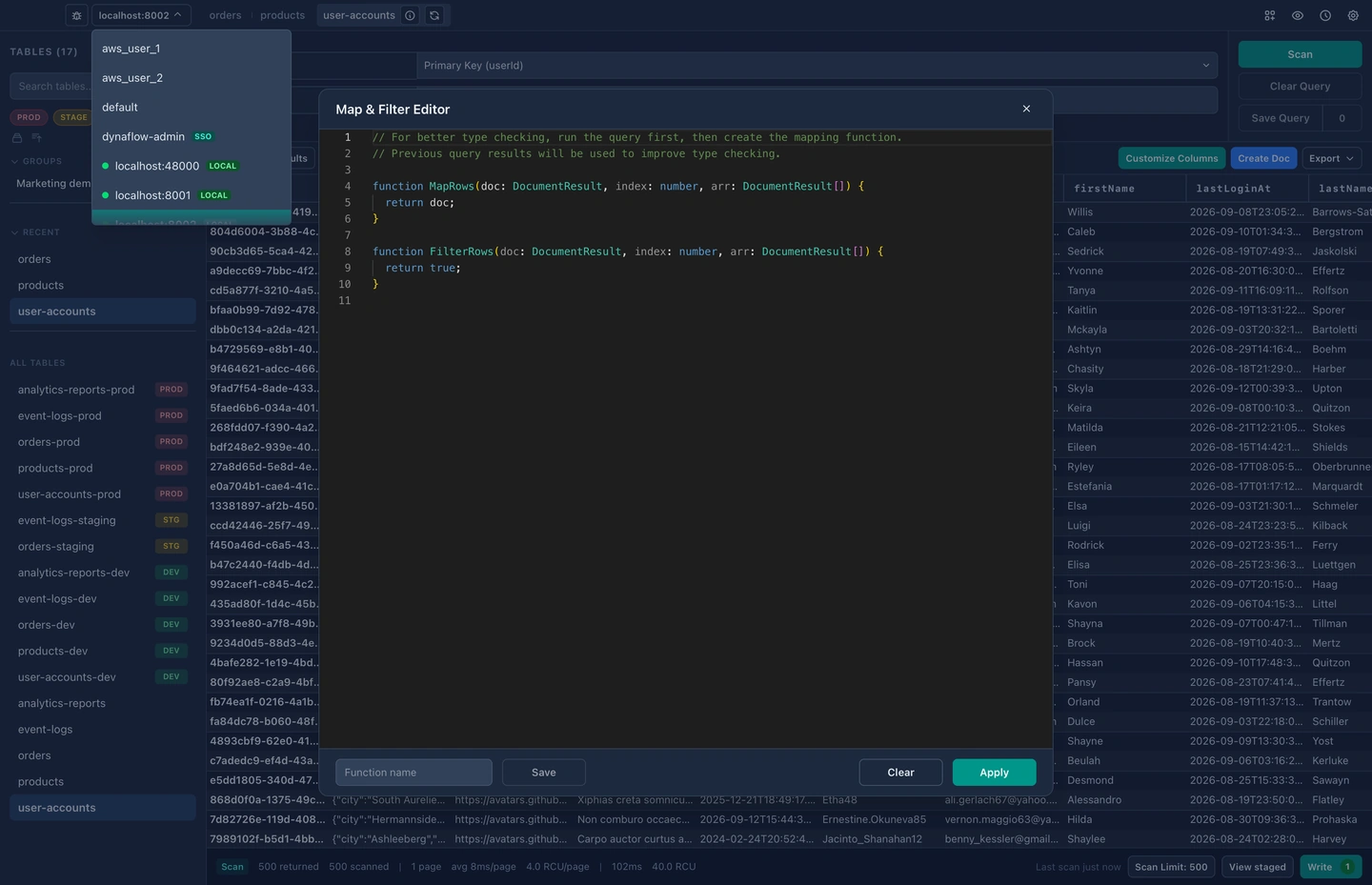
Switch AWS profiles from the title bar. Each one keeps its own recent tables, staged edits and saved queries, so nothing you do in a sandbox can leak into production.
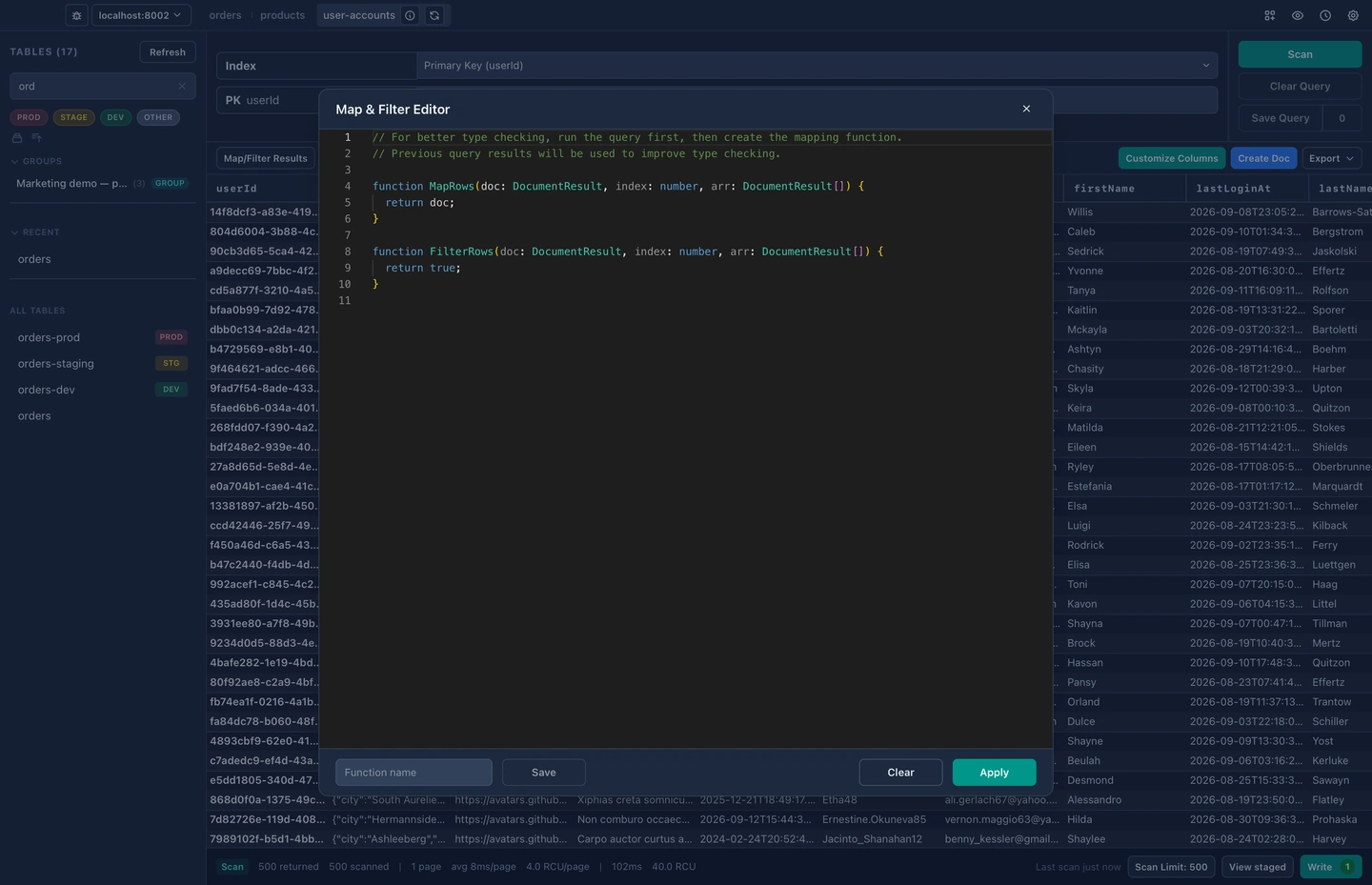
Narrow hundreds of tables down to the one you want as you type, and filter by environment so prod and dev stay apart. The tables you were just in stay a click away at the top.
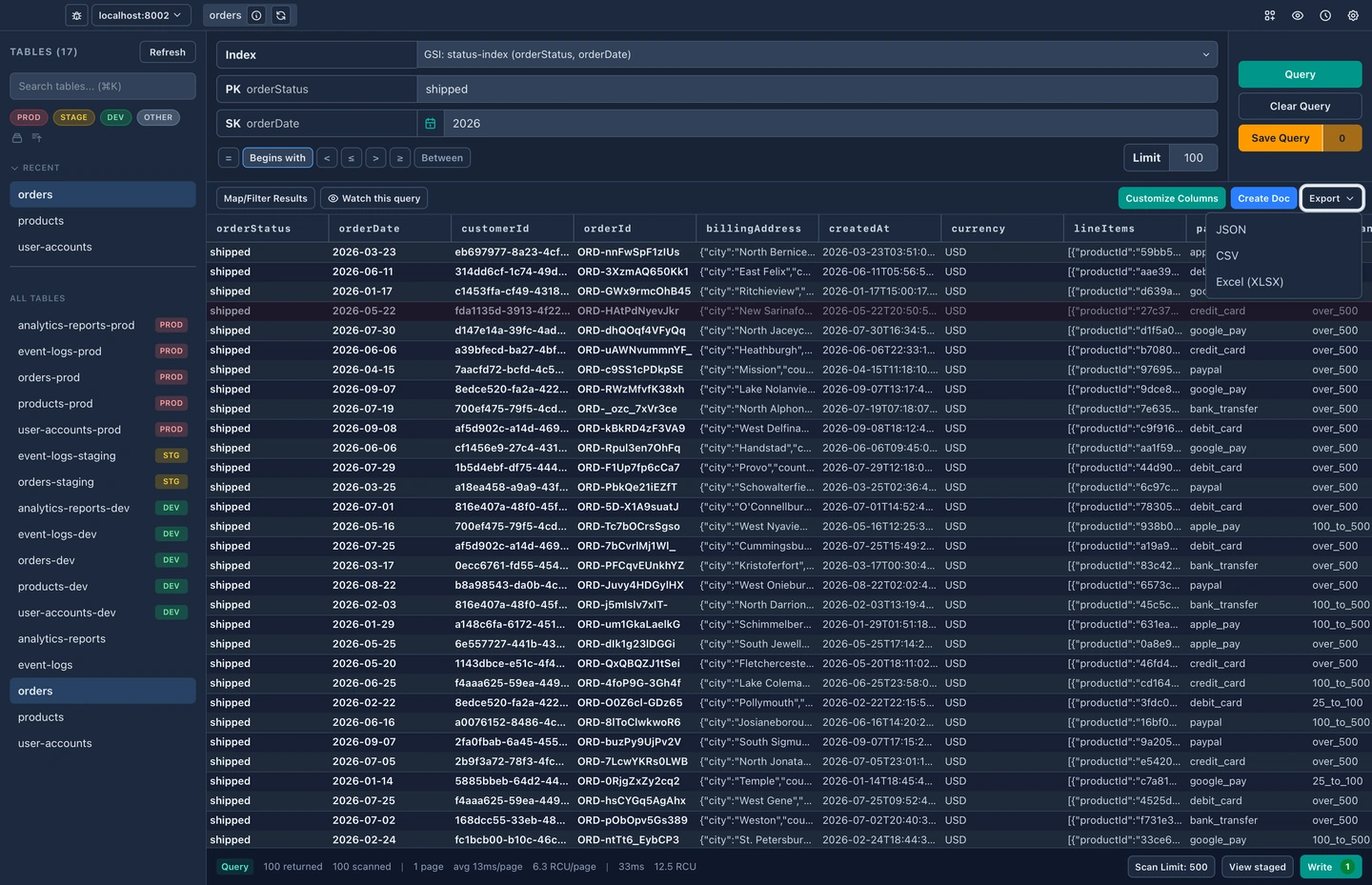
Send your results to JSON, CSV or Excel. You choose which columns go with them, so what you hand to someone else has the fields that matter and none of the noise.
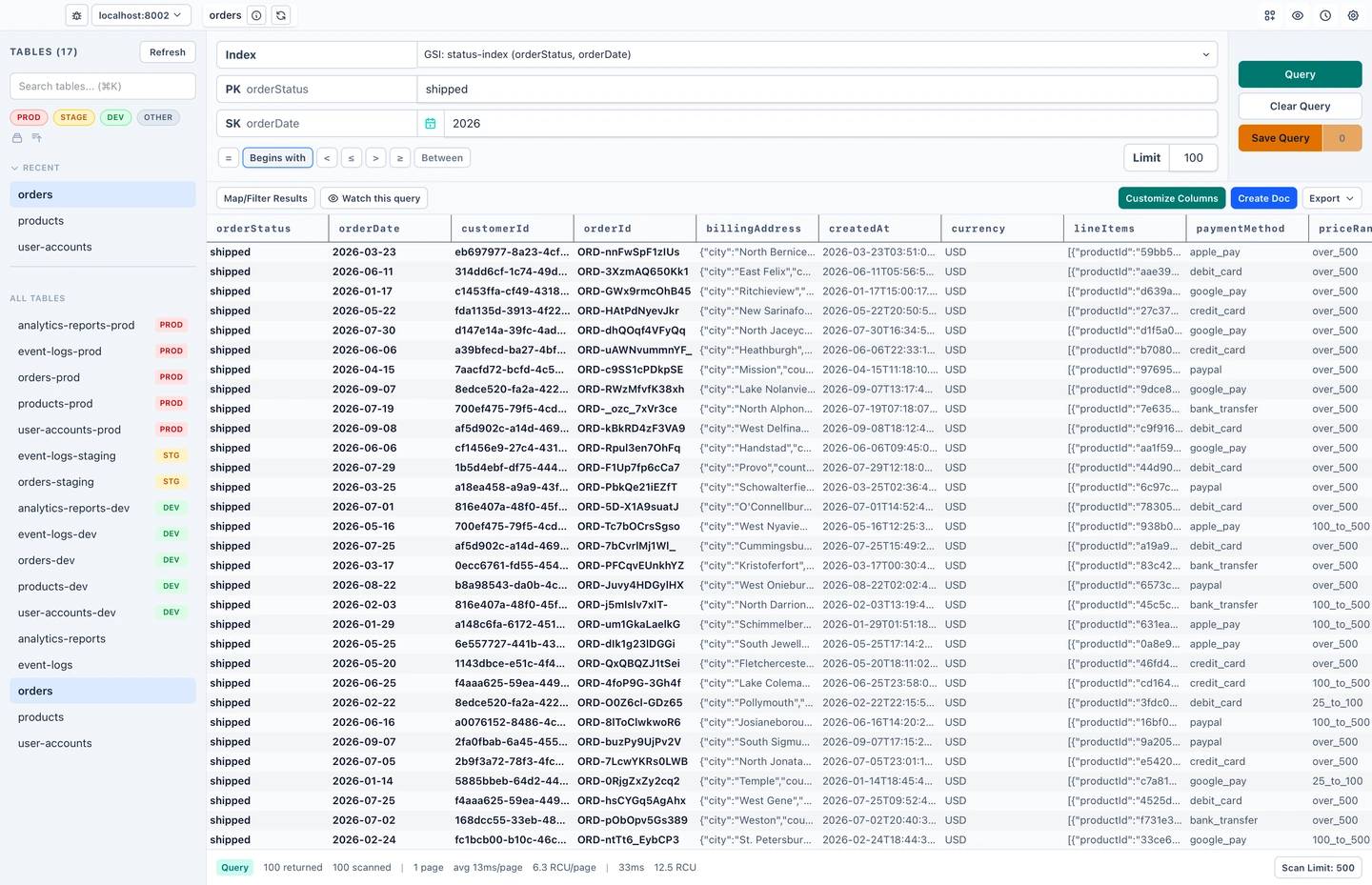
Follows your system setting, or pick the one you like and stay there. Every window switches together, including detached editors and table windows.
Pro
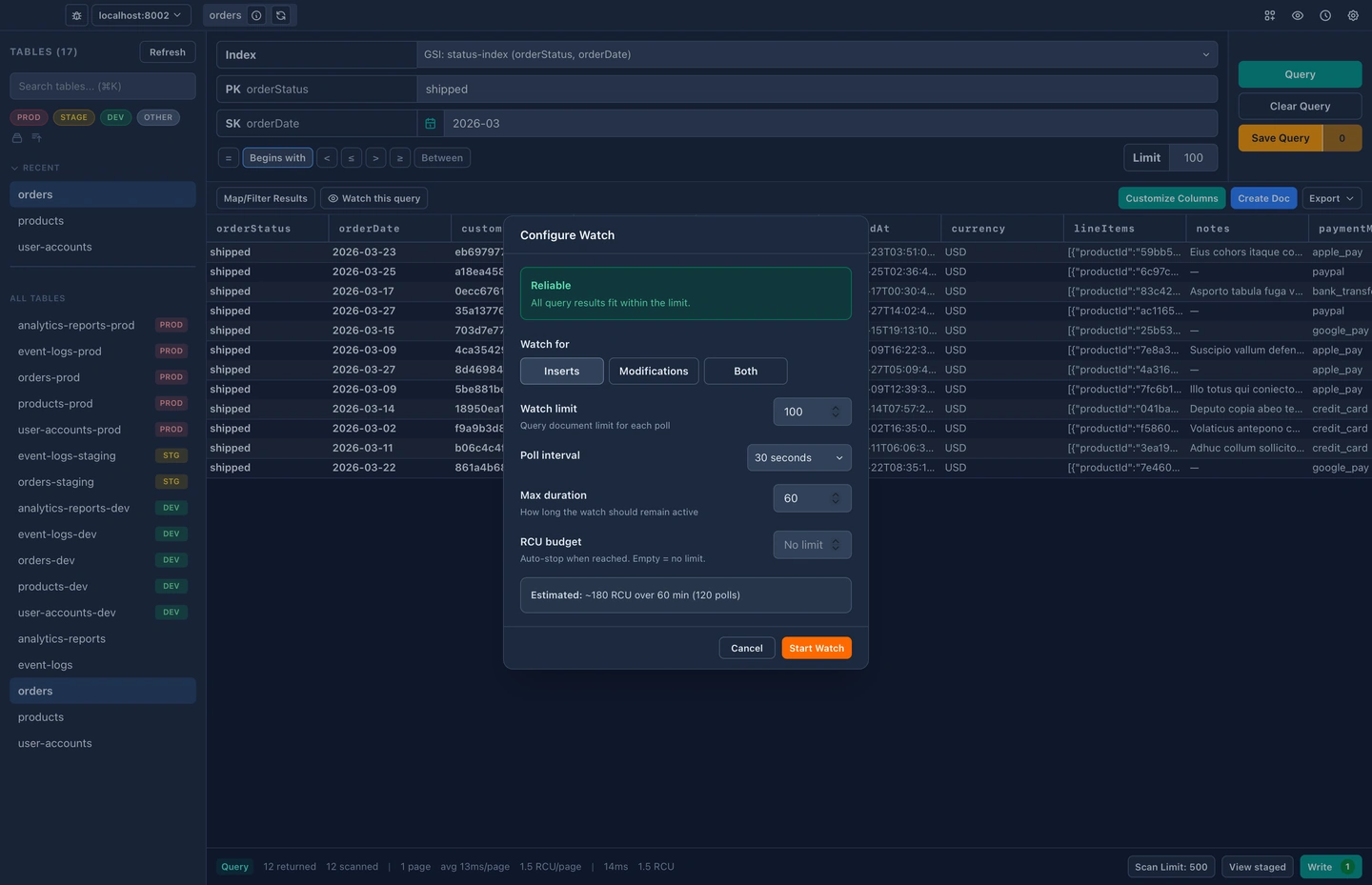
Re-run a query on an interval and watch what moves. New and changed rows light up as they arrive, and you get a read cost estimate up front so a watch never surprises your bill.
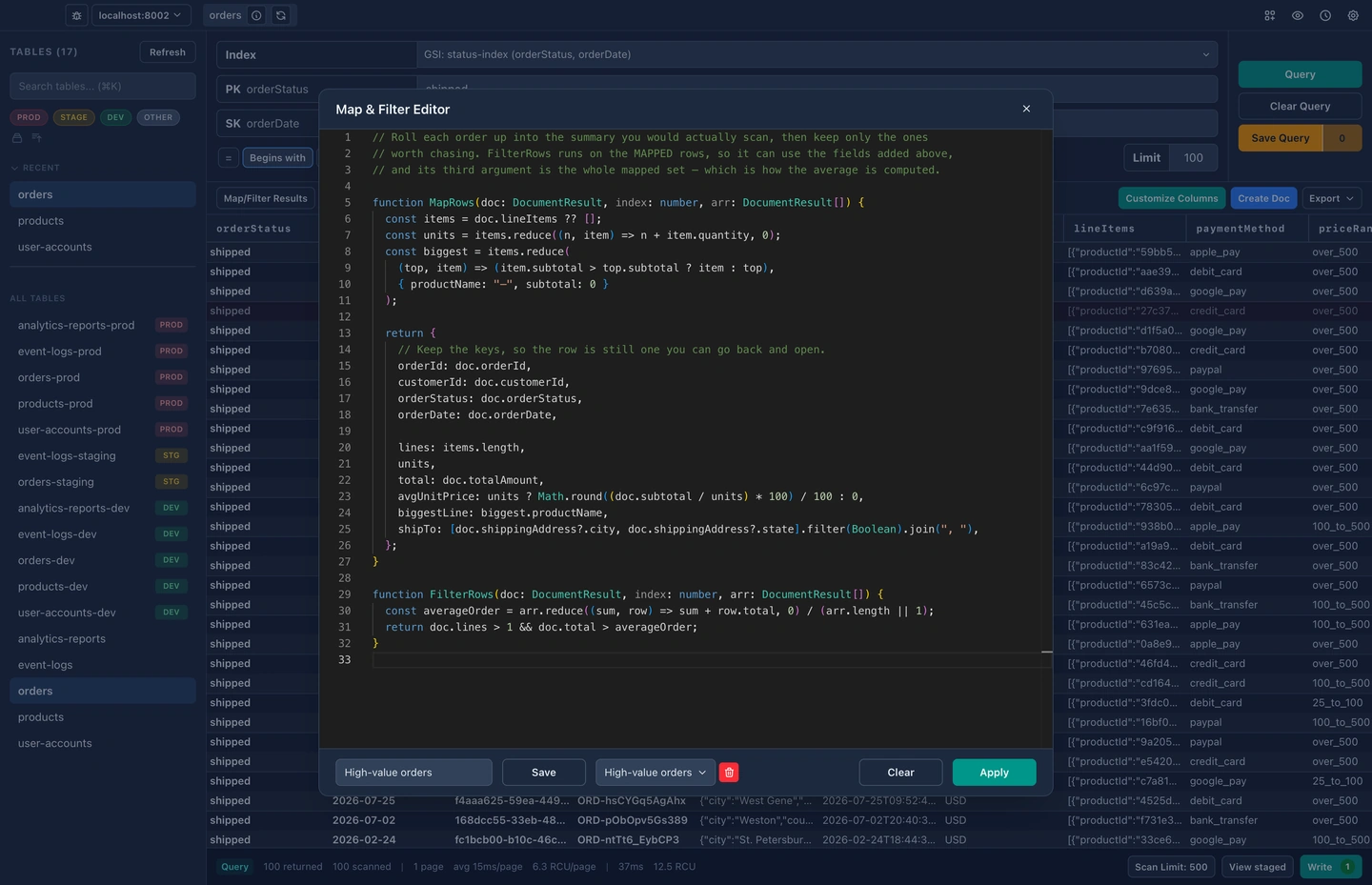
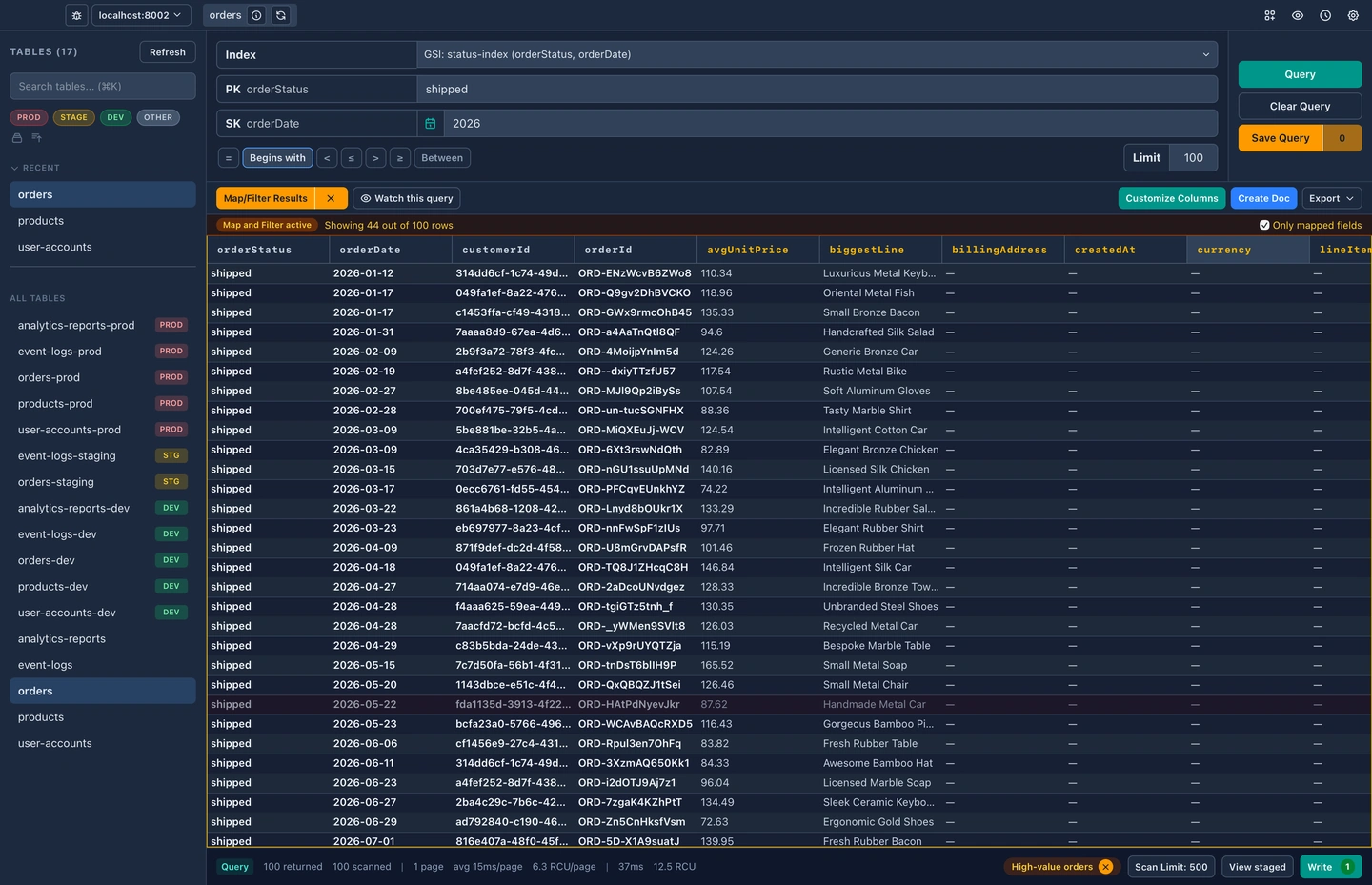
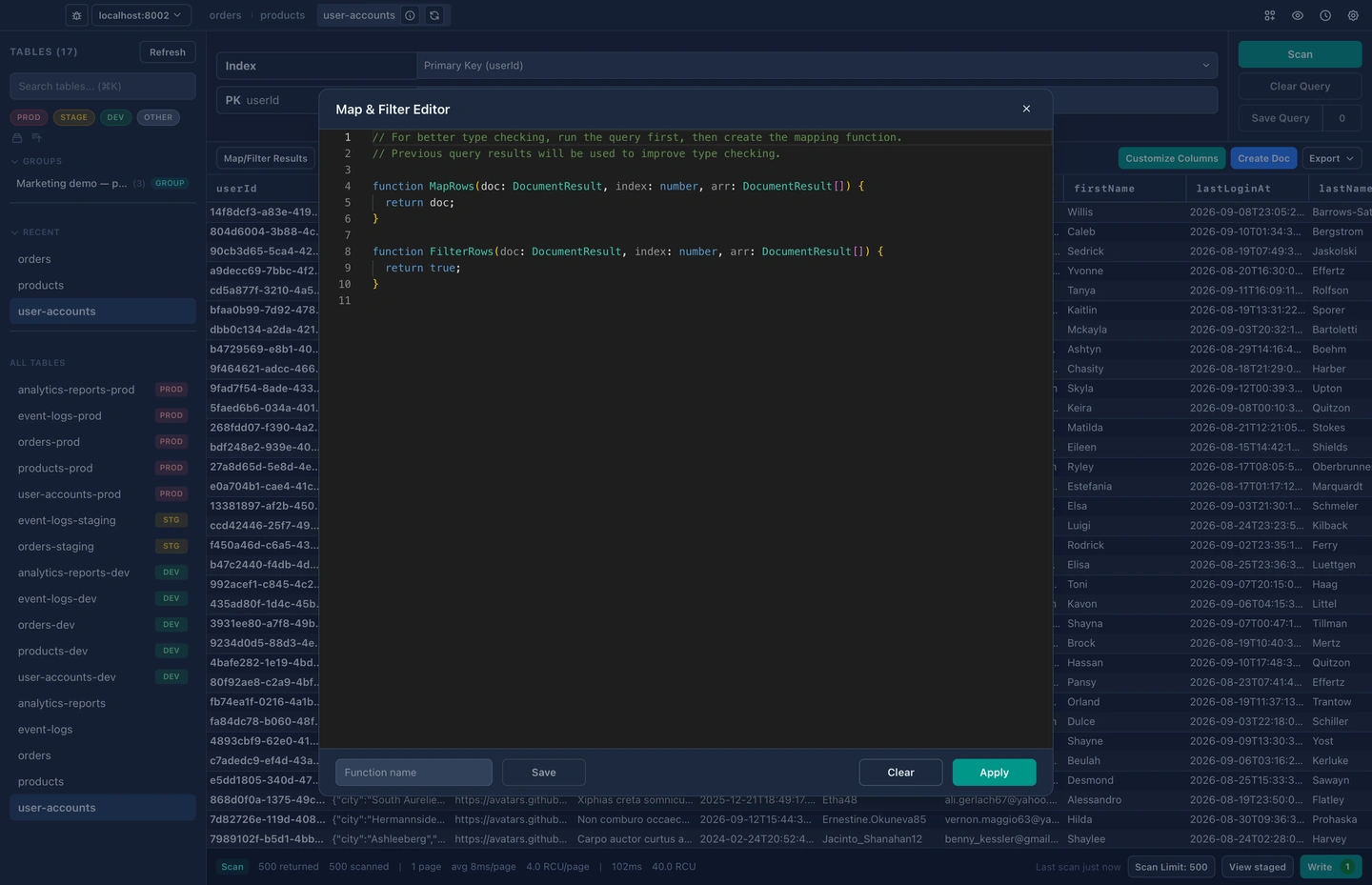
Reshape your results with a small JavaScript function: flatten nested attributes, add a computed column, or drop the rows you don't need. Your stored data stays untouched, and only the view changes.
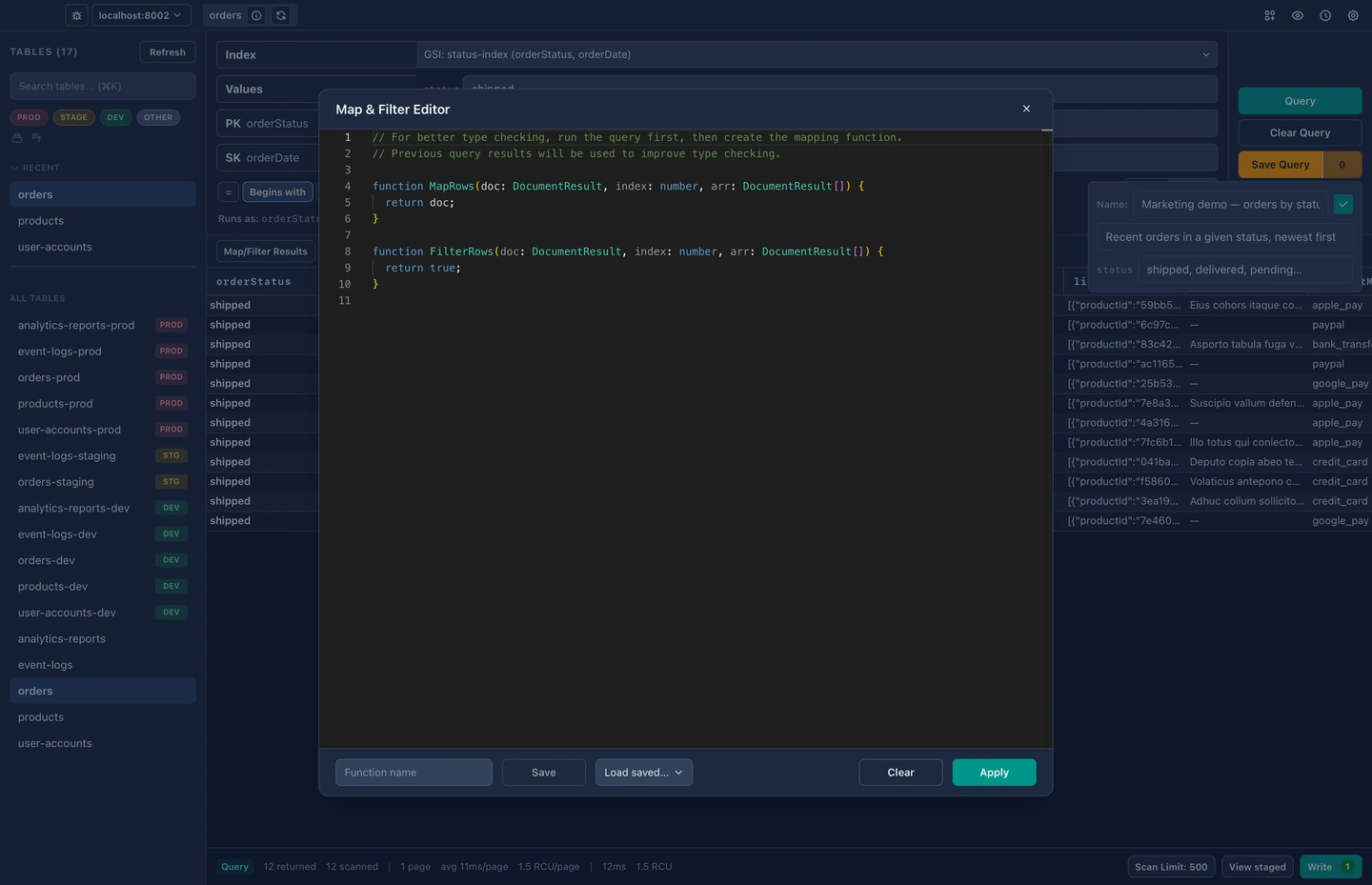
Save a query once and load it again in a click. Leave blanks for the parts that change, so one saved query covers every customer, and your AI assistant can run the same ones over MCP.
Save the set of tables you have open as a named group. When you come back to that piece of work tomorrow, one click reopens the whole workspace.
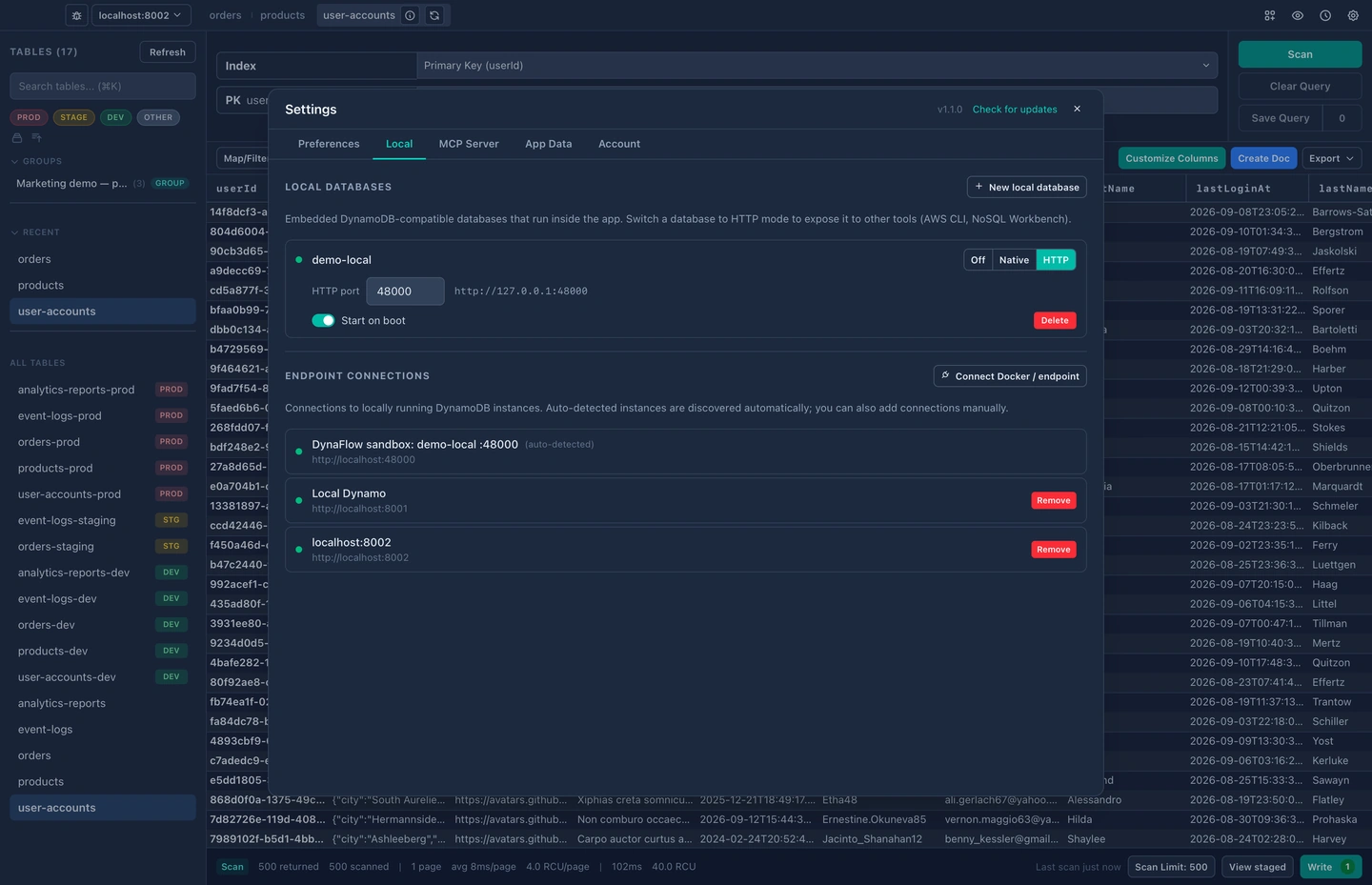
Run DynamoDB-compatible sandboxes inside the app, with no AWS account and no network needed. Switch one to HTTP mode and the AWS CLI or NoSQL Workbench can point at it too.
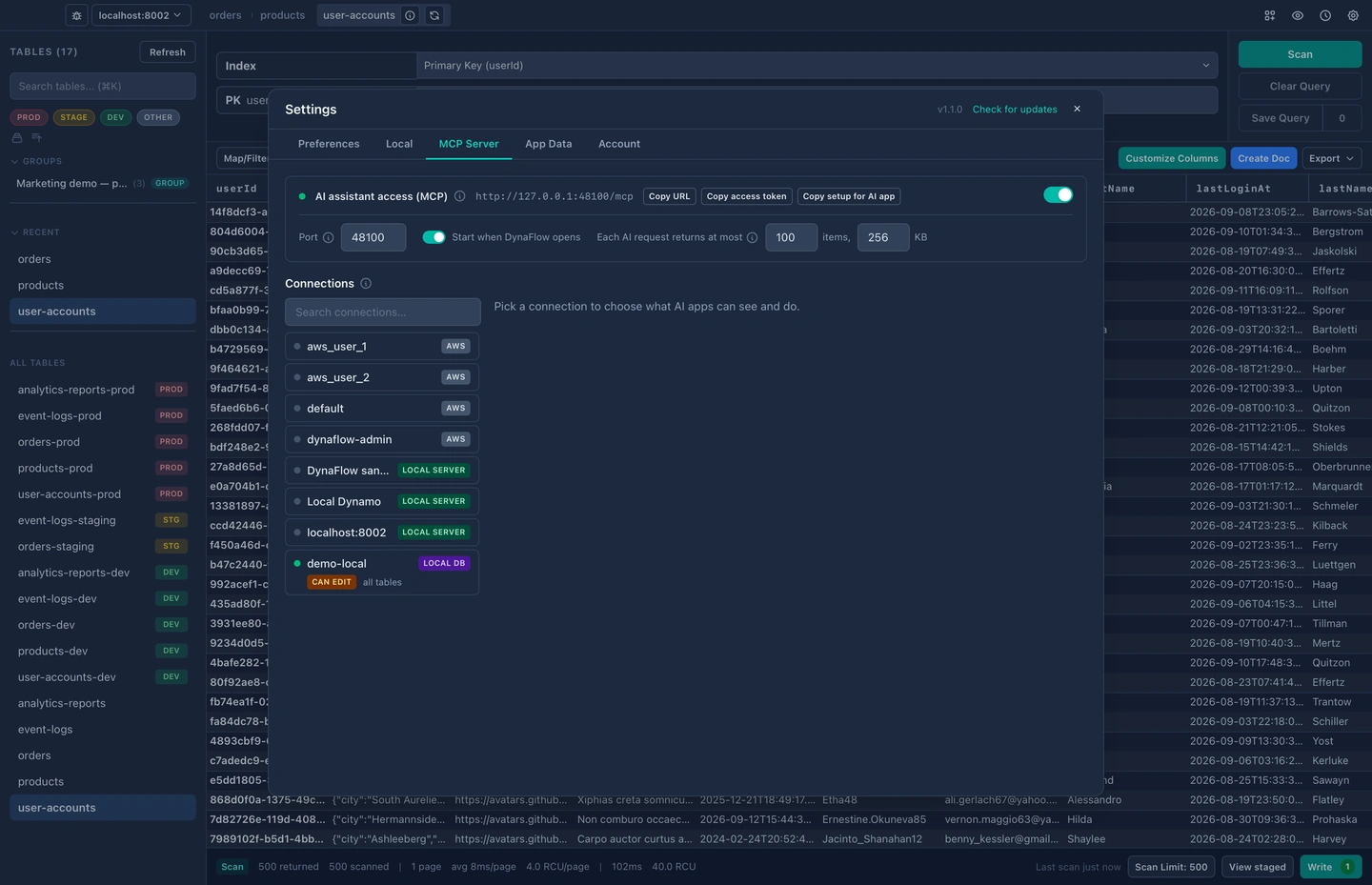
Share the tables you choose with Claude or any MCP client through a built-in server. It listens on your machine only, behind a token, and stays read-only until you say otherwise.
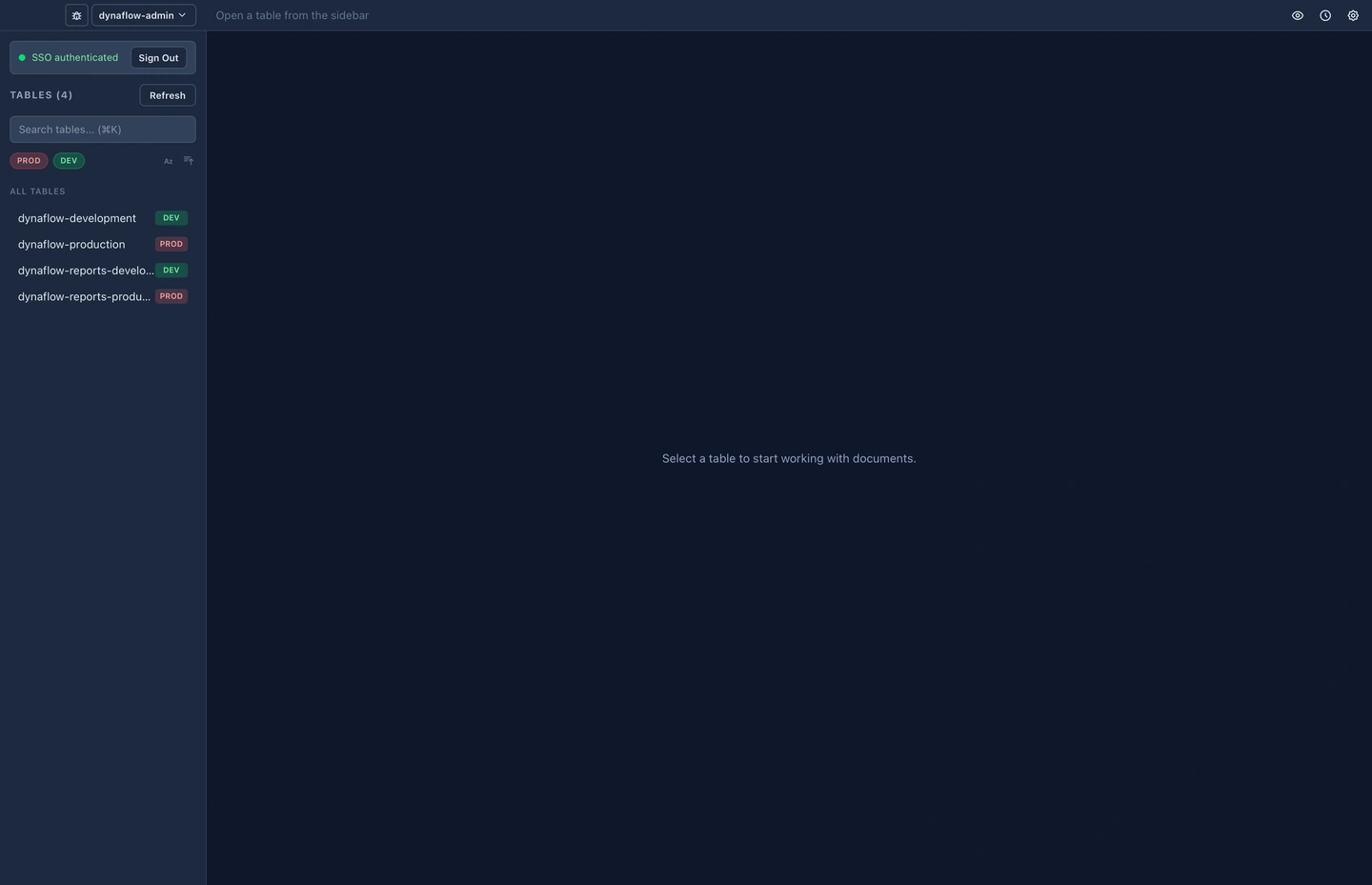
Sign in to AWS IAM Identity Center from inside DynaFlow. Your session refreshes in the app, so you never have to drop into a terminal to renew credentials mid-task.
Pricing
Core features are free forever. Pro unlocks SSO, query watching, map/filter, saved queries, tab groups, local databases, and AI assistant access.
No lock-in, no pressure.
You want software you own. I want to get paid for the work I put into it. Subscriptions are there for convenience, one-time purchases are there for simplicity.
Lease-to-own: earn a permanent license
One payment, yours forever
Download
Free download, no account required. All core features included.
The next DynaFlow release is on its way. Check back shortly.
Free download · No account required · All core features included
DynaFlow is currently macOS-only. Windows support isn't available yet.
FAQ
Yes. Pro runs local, DynamoDB-compatible databases inside the app itself, with no Docker and no separate process to manage. They appear beside your remote AWS connections in the same sidebar, so the same query builder and editor work against both.
Not today. DynaFlow is macOS only, on both Apple Silicon and Intel. It is built with Tauri, which is cross-platform, so support for Windows and Linux is planned.
Pro is available either as a monthly subscription or as a one-time purchase. Subscribe, and after twelve continuous months you earn a permanent licence automatically and stop paying. Cancel whenever you like; if you come back, the months you have already paid still count. You can also buy the permanent licence outright at any time, and anything you have already paid in subscription is credited towards it.
No. Your AWS credentials stay on your machine and the app talks to DynamoDB directly, with no server of ours in between. Telemetry is anonymous, opt-out, and filtered against an allowlist that is enforced on both the client and the server: table names, queries and cell values are never collected.
Named profiles from your ~/.aws/config work out of the box, and IAM Identity Center single sign-on is a Pro feature. DynaFlow reads the same configuration the AWS CLI does, so a profile that works there works here.
They are staged locally rather than written straight to DynamoDB. You review the whole batch as a diff, undo anything you did not mean, and commit when it looks right, so that you are in control and have confidence in what the app is doing.